Conference AV setup in Egypt starts long before the screen turns on or the first microphone goes live. A reliable event begins with technical decisions about the audience, content, venue, sound, displays and workflow before event day.
Corporate, technology, medical and international conferences often combine presentation displays, sound, microphones, interpretation, lighting, cameras and streaming. Each system may work perfectly on its own and the event can still feel weak if they were not planned as one environment.
This practical guide from Hyper Sonic Egypt explains the key decisions behind a professional conference AV setup in Egypt.
Conference AV Setup Starts with the Event Objective
The first question should not be “How many screens do we need?” It should be: What does the audience need to see, hear and do?
A keynote-led conference has different requirements from a product launch, panel discussion, medical meeting or multilingual event. Before requesting a quotation, define the expected attendance, speaker format, presentation sources, audience Q&A, interpretation requirements, streaming needs and setup schedule.
Practical rule: design the audience experience first, then select the technology that supports it.
1. Let viewing distance determine the display
Screen size should not be selected only according to stage width. The real question is whether the person sitting farthest from the stage can clearly read the content.
Technical conferences frequently include numbers, charts, maps and product information. Pixel pitch, viewing distance, screen dimensions and content resolution should therefore be considered together.
Use our LED Screen Calculator and our Pixel Pitch Guide when planning display size and resolution.
2. Treat the main screen as a communication tool
Before setup, define what will actually appear on the display: PowerPoint, video playback, live cameras, data, branded graphics or multiple sources.
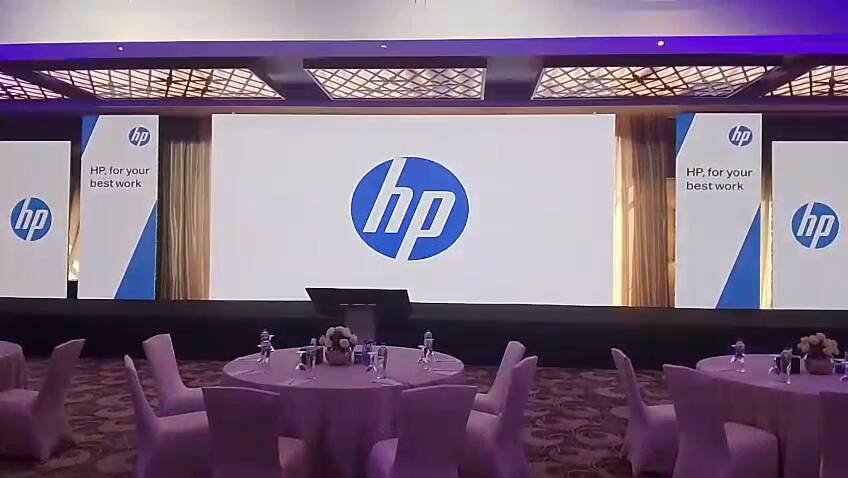
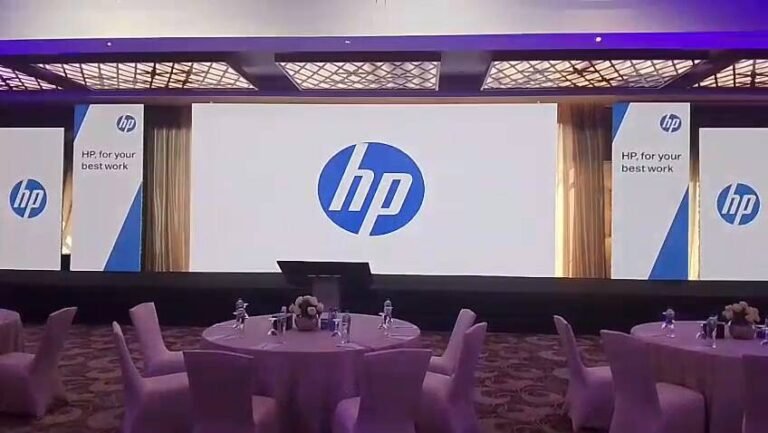
For HP for Your Best Work — Cairo, the visual environment combined a large main display, vertical branded screens and digital product demonstration areas so that presentations and branding worked together as one system.
3. Clear audio matters more than loud audio
An audience may tolerate a minor visual issue for a few seconds. If speech is difficult to understand, however, the value of the session drops immediately.
Audio design depends on room size, ceiling height, audience layout, speaker positions and microphone type. Wireless, handheld and gooseneck microphones each serve different conference formats.
The objective is not simply more speakers. It is consistent speech intelligibility throughout the venue.
4. Plan simultaneous interpretation early
For multilingual conferences, interpretation should never be treated as a last-minute add-on. Determine the number of languages, interpreters, receivers and booths, and how interpreters will receive the original conference audio.
Interpretation is part of the audio workflow and should be tested with the main system before attendees arrive.
5. Stage, lighting and display should work together
Stage height, speaker position, screen location, front lighting, cameras and branding are interconnected. Lighting must keep speakers clear to both the audience and cameras without reducing display quality.
This coordination becomes even more important when an event is recorded or livestreamed.
6. Test the content, not only the hardware
Presentation decks, videos, logos and speaker graphics should be available early enough to test on the actual system.
Check aspect ratio, video resolution, font size, embedded audio and transitions between presentation sources. Excellent hardware cannot compensate for content that was never designed for the screen or viewing distance.
7. Treat connectivity and streaming as part of the AV system
If the conference includes livestreaming, remote speakers or webinar platforms, connectivity becomes part of the technical infrastructure. Do not depend on venue Wi‑Fi without testing it.
Confirm real upload speed, connection stability, wired options and an appropriate backup plan. Cameras, audio, presentation sources and streaming should be tested together.
8. Plan power, cabling and signal paths
Power distribution and signal routing are mostly invisible to attendees, but they are fundamental to reliable execution. Displays, audio, lighting, streaming and control systems all require properly planned power and signal paths.
A problem that can be identified during setup should not be discovered in front of the audience.
9. Run a complete technical rehearsal
Do not test devices in isolation. Rehearse the actual event workflow:
- Run presentation decks and videos.
- Test every microphone.
- Check interpretation receivers where required.
- Test cameras and streaming.
- Switch between presentation sources.
- Confirm backup options for critical components.
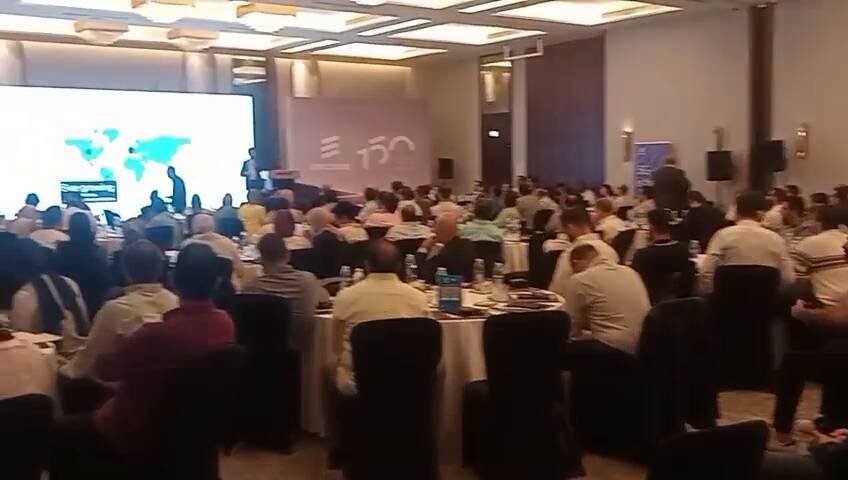
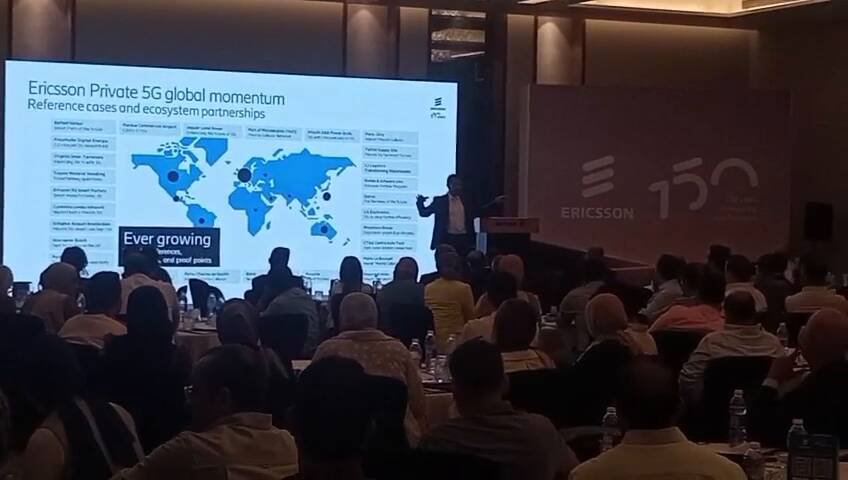
At Ericsson Egypt MWC26 Live — Cairo, presentation content included Private 5G, reference cases and technical information. Clear display technology, professional audio and stage support were therefore essential to the conference experience.
10. Choose a conference technology partner, not an equipment list
When comparing quotations, do not compare only the price of a screen or speaker. Ask whether the supplier understood the event format, reviewed venue conditions, discussed the content, planned a rehearsal and has an on-site operating team.
A professional conference technology provider builds a system that works together in the real venue, at the real time of the event. A strong conference AV setup also considers presentation content, audience flow, technical rehearsal and backup planning as one integrated system.
For broader professional audiovisual planning references, see the AVIXA standards resources.
Information to prepare before requesting a quotation
- Event name, date and venue.
- Expected attendance.
- Room and stage dimensions.
- Session format and number of speakers.
- Presentation and video requirements.
- Audio and microphone requirements.
- Interpretation languages and receiver quantities.
- Recording or livestream requirements.
- Installation and dismantling schedule.
Real conference technology projects in Cairo
See Ericsson Egypt MWC26 Live and HP for Your Best Work for real examples of how display, audio, stage and content can be integrated in corporate technology events.
Our principle: event technology is not the objective. The objective is to help the audience see, hear and engage with the event exactly as intended.
Frequently asked questions
What is included in a professional conference AV setup?
Depending on the event, the system may include presentation displays, professional audio, microphones, conference systems, interpretation, lighting, stage technology, cameras, recording and streaming.
How large should a conference LED screen be?
The correct size depends on venue dimensions, the farthest viewing distance and the type of content being displayed.
Does every conference need an LED screen?
No. The correct display technology depends on room conditions, audience size, content and the required image size.
When should conference equipment be tested?
Critical systems should be installed and tested early enough to correct any issue before attendees arrive, especially when several systems are integrated.
Planning a conference in Cairo or elsewhere in Egypt?
Hyper Sonic Egypt provides conference technology solutions including LED displays, professional audio and microphones, simultaneous interpretation, stage technology, lighting, presentation systems and streaming.
Explore Conference Technology Solutions →
Discuss your event requirements →
Hyper Sonic Egypt
Planning an AV project or event?
Talk to the Hyper Sonic team for a practical technical recommendation tailored to your project.